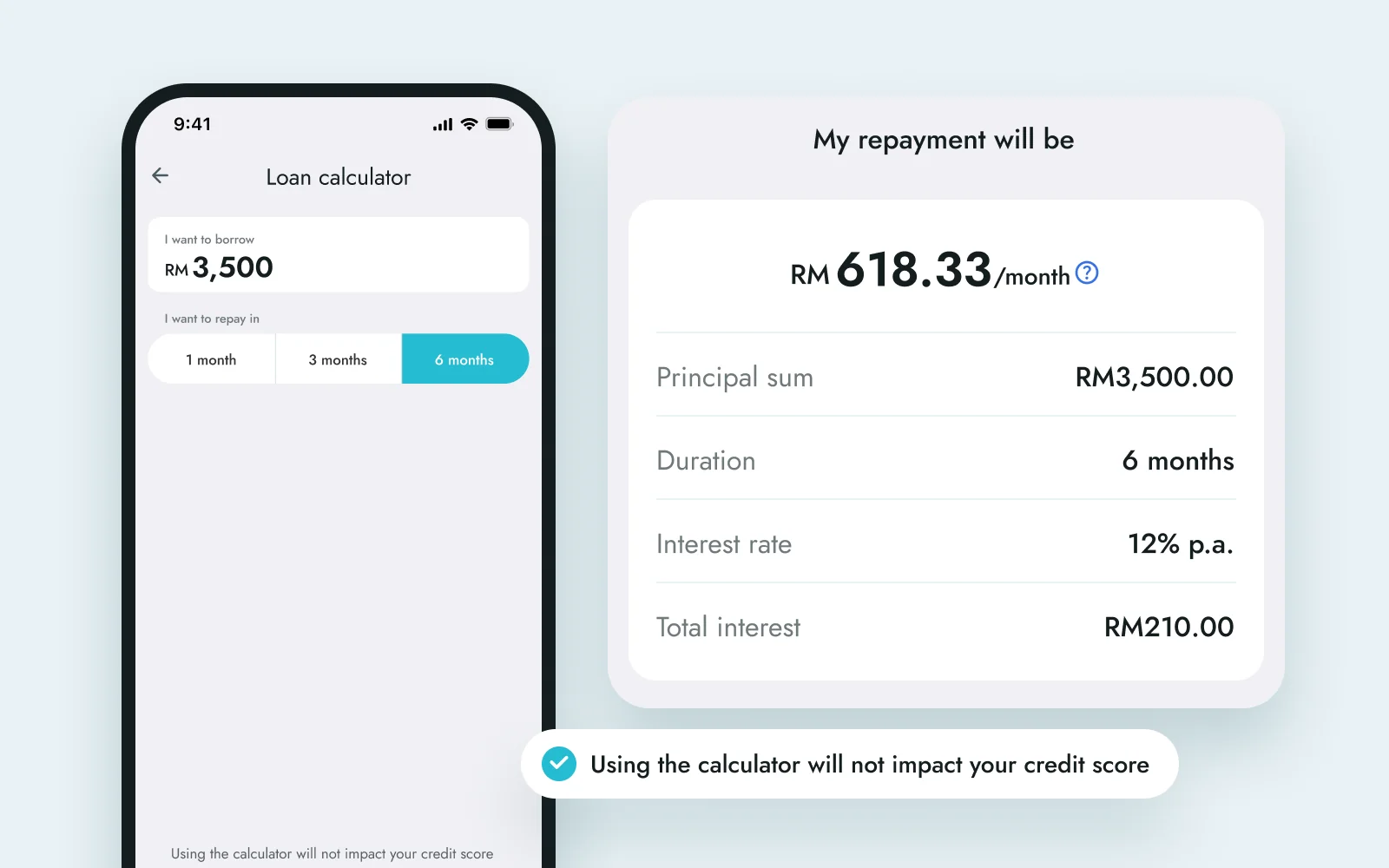
 6 months
01 · The quote
You see the monthly cost before applying.
Pick an amount and a term to see the monthly repayment, the interest and the stamping fee. Getting a quote doesn’t affect your credit score.
BigPay Lending · 2023 · 2 min read
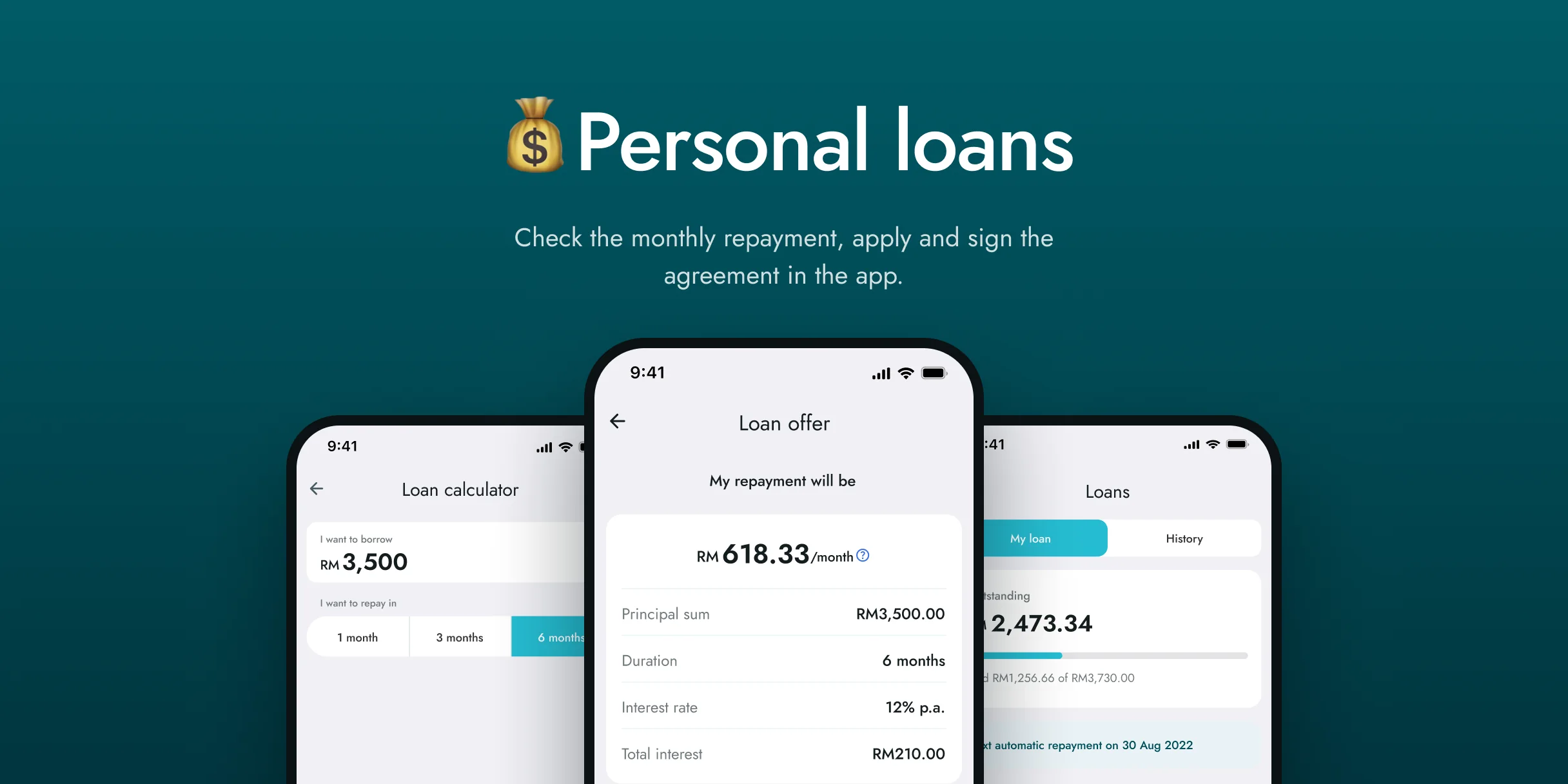
Most personal loans meant forms, payslips and days of waiting, even for small amounts.
People already managed their money in BigPay, so the loan had to live there too.
Four stages, from the first quote to the last repayment.
6 months01 · The quote
Pick an amount and a term to see the monthly repayment, the interest and the stamping fee. Getting a quote doesn’t affect your credit score.
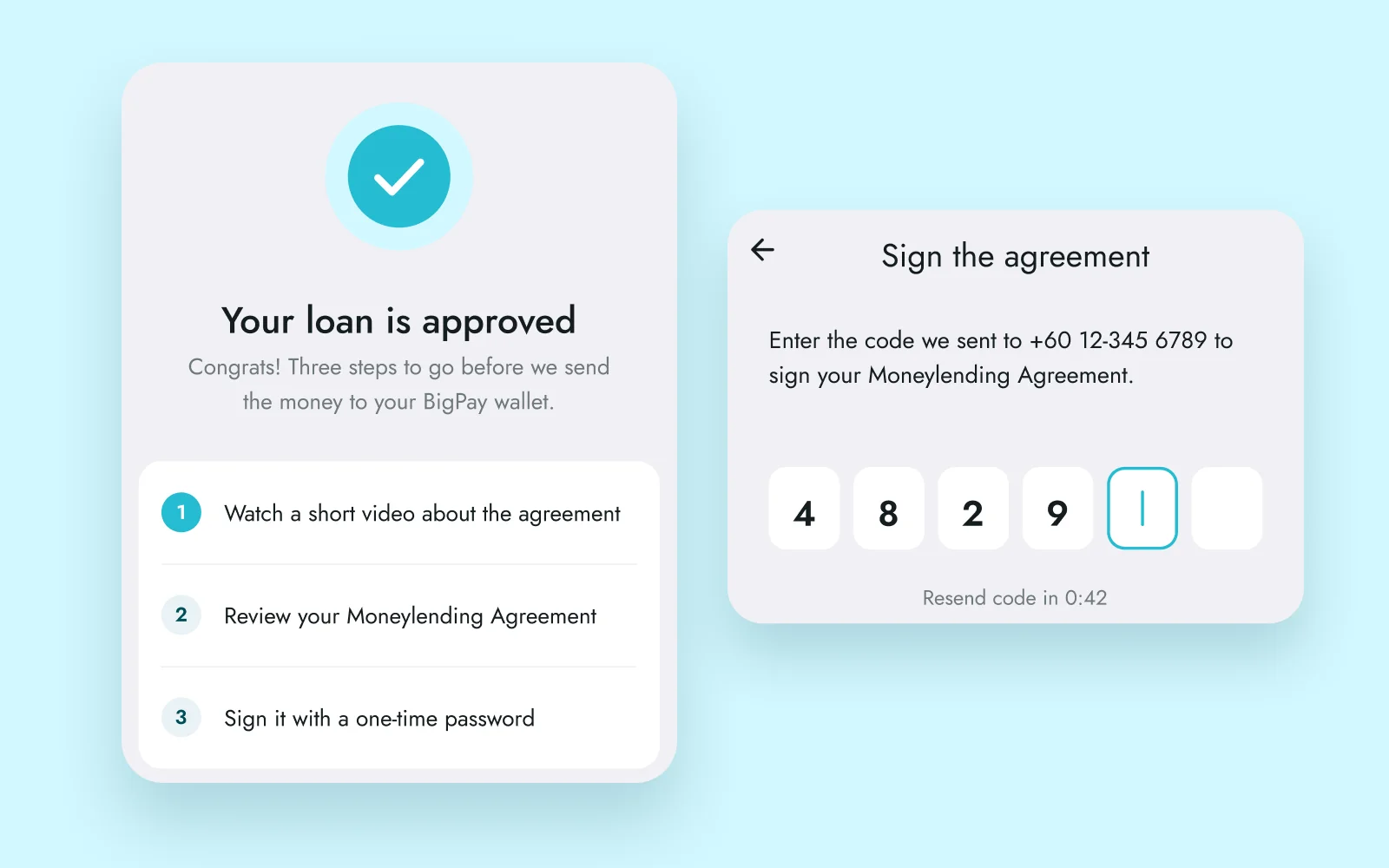 48291623Agreement signed
02 · The agreement
Once the loan is approved, you watch a short video about the Moneylending Agreement and read it before signing. The stamped copy comes by email.
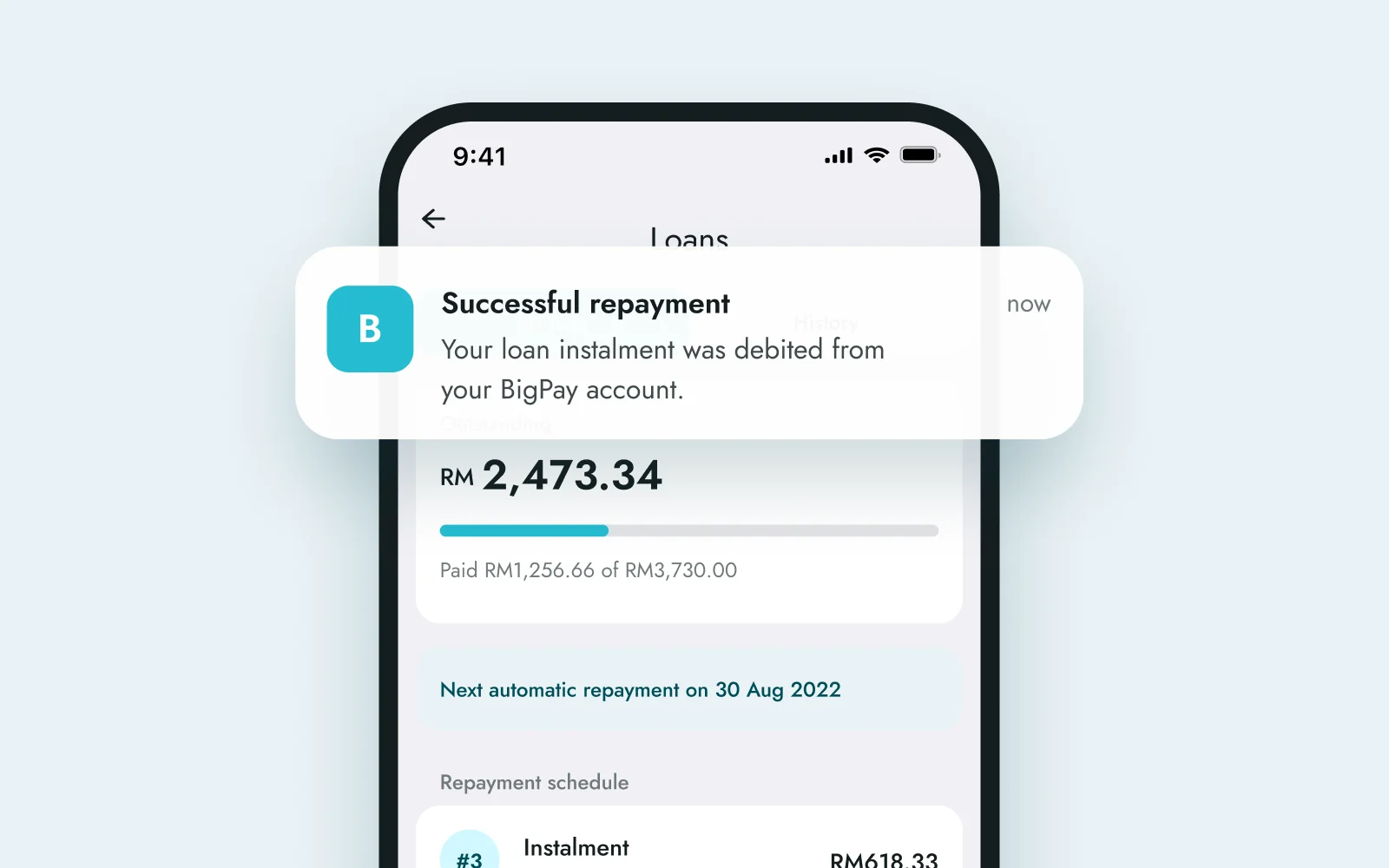
03 · Repayments
The dashboard shows the balance, the next automatic repayment and every instalment. You can also pay a bit extra or pay it all off early.
Lending has steps you can’t skip, like the attestation video and the stamped agreement. I spent most of my time making them feel like normal screens.
Like my projects? Email me jordychew93@gmail.com or LinkedIn↗