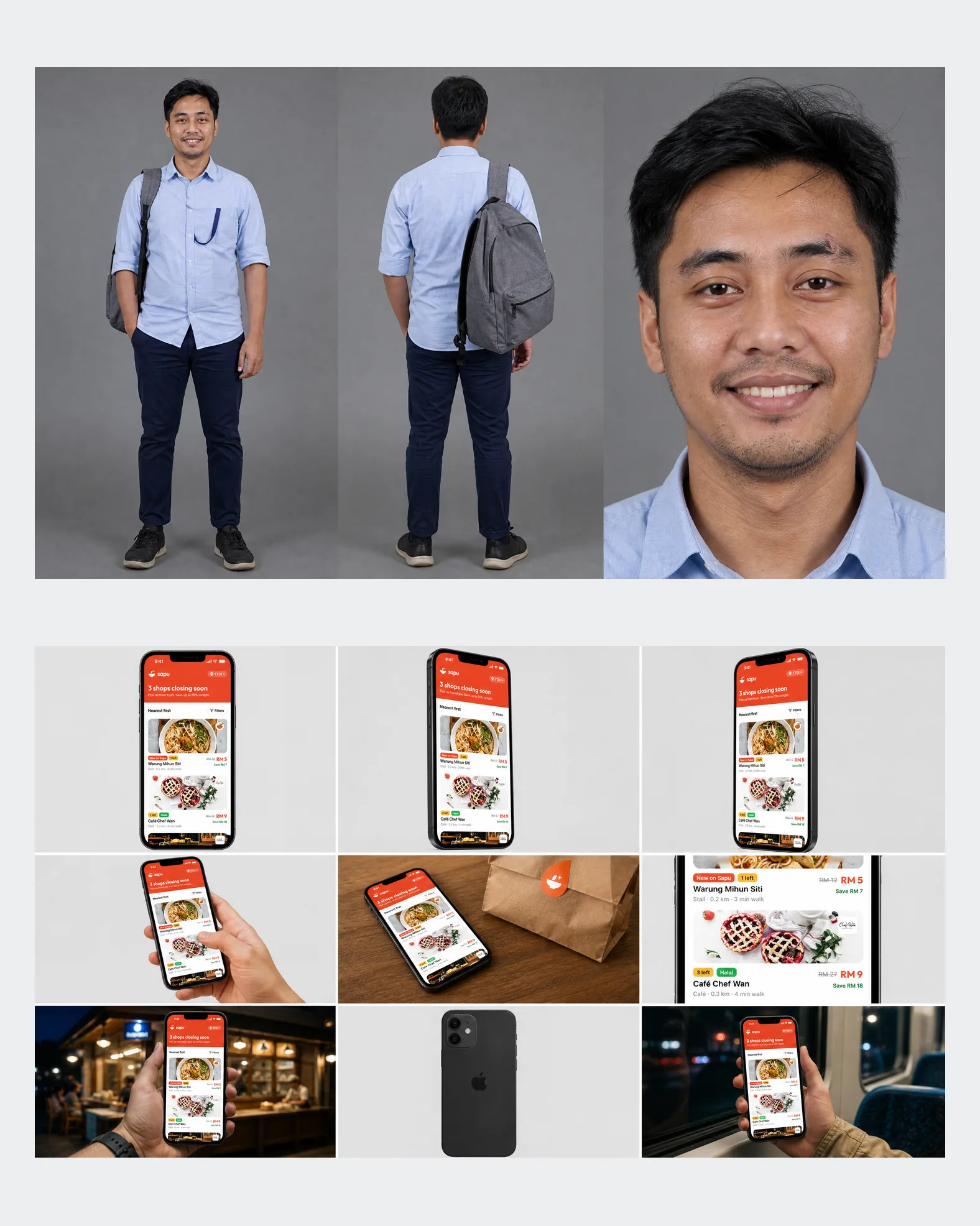
References
Two sheets keep it consistent.
One sheet fixes the person, the other fixes the phone and the real app screen. Every clip starts from both, so the same face and the same app turn up in every shot.
Build with AI · 2 min read
AI makes the pixels faster. I spend the time it saves on what it can’t do: sitting with users, reading the room in a crit, and earning trust with compliance.
References
One sheet fixes the person, the other fixes the phone and the real app screen. Every clip starts from both, so the same face and the same app turn up in every shot.
First cut
A handheld selfie at a stall at night, like showing a friend a good find. Fifteen seconds to check the order works: the deal first, then how it works.
Full ad
Price, food, the app, then the reason to care: less food thrown away. Made in an afternoon, so the message gets tested before anyone pays for a shoot.
Results from controlled studies, by kind of task
Published research, shown for reference. The consulting study also found AI made people 19% less likely to solve a task it wasn’t suited to. Sources: Stewart et al. (2026)↗, Dell’Acqua et al. (2026)↗, Noy and Zhang (2023)↗, Peng et al. (2023)↗.
Draft a bill reminder from
3 referencesusing our
Design system
1 · Prompt
The prompt starts in Figma, with real patterns from Mobbin as references, so the first draft already fits the product.
2 · Generate
One brief turns into a handful of directions. Choosing between them is still the design work.
3 · Test and synthesise
The best options go in front of users early. AI personas run a first, synthetic pass, so time with people goes to the harder questions. AI sorts the notes into themes, and the team decides what they mean.
A harness is everything around the model: the process it follows, the tools it can reach, the rules it can’t break and the checks before anything gets to me. The model is the same one everyone uses. The harness is what makes it design my way.
The steps, in order. My design-process skill takes every brief from screenshots to a tested redesign, one stage at a time.
What it can reach. Figma for designs, Mobbin for references, Obsidian for writing, and a browser to check what gets built.
A benchmark to beat. Fresh examples from current apps make sure the basics match the best, so the effort can go into what makes the design its own.
Taste, written down. Every correction becomes a rule it checks before handing anything over, so it only needs saying once.
A second opinion before mine. A critic flags anything that looks generic or AI-made, and every screen is checked at each size, in both themes.
Nothing goes live unseen. It shows me the work and waits for a yes.
What to keep, what to cut and what ships is always mine.
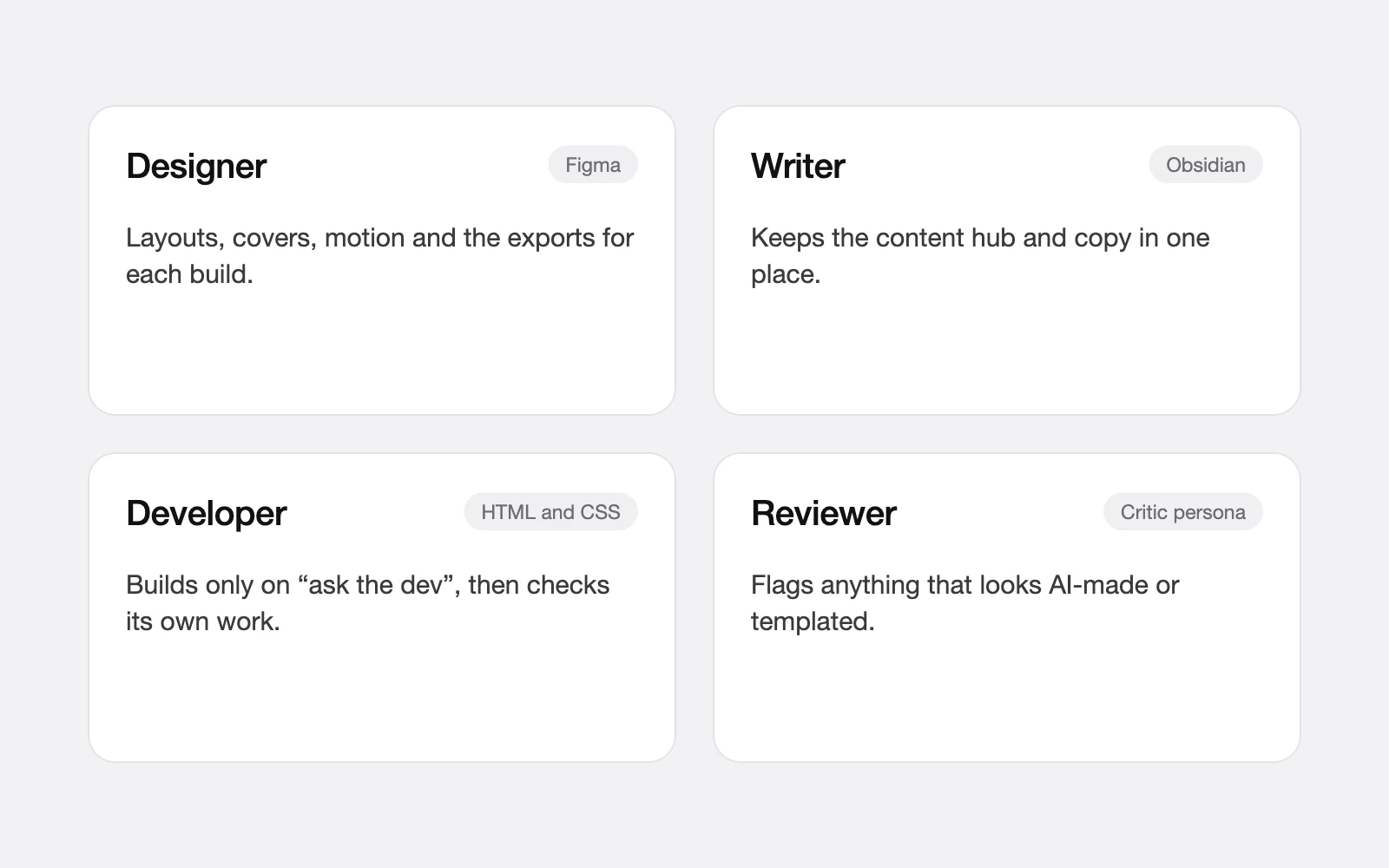
A designer in Figma, a writer in Obsidian, a developer in code, and a critic that flags anything that looks AI-made.
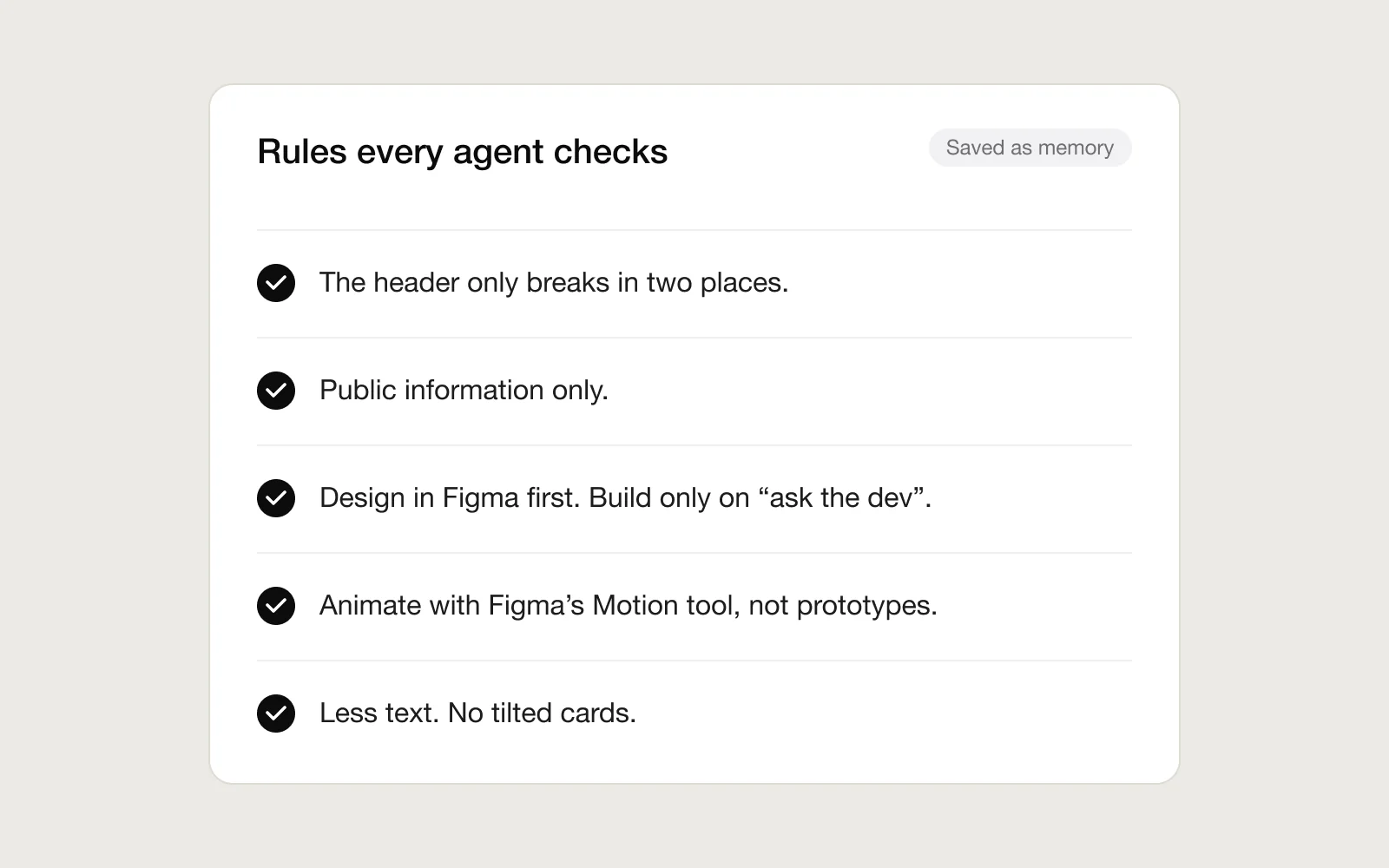
Every correction becomes a rule the agents check before handing anything over, so it only needs saying once.
Nothing gets built until the design is approved. The build is then checked at every screen size in both themes, and fixed before it comes back.
A Claude skill is a short file that teaches Claude how I work. It reads the first line of every skill with each brief, opens the one that matches, and follows it. The process is written once and used on every project.
Redesign these four screens
Starting with stage 1. I’ll rebuild one screen and show it before touching the rest.
---
name: design-process
description: From screenshots to a
  tested redesign. Use when a brief
  says redesign, explore or compare.
---
Capture what exists, name the problems, research references, explore wide, decide narrow, test, then go round again until it holds up. The file holds the order and the rules. The decisions stay with me.
Edge cases
A bill can be due, paid early, split into months or overdue. AI drafts every state, so the time goes to the ones people actually hit.
UX writing
Errors, warnings and confirmations all need clear words. AI writes the first pass, and people decide what ships.
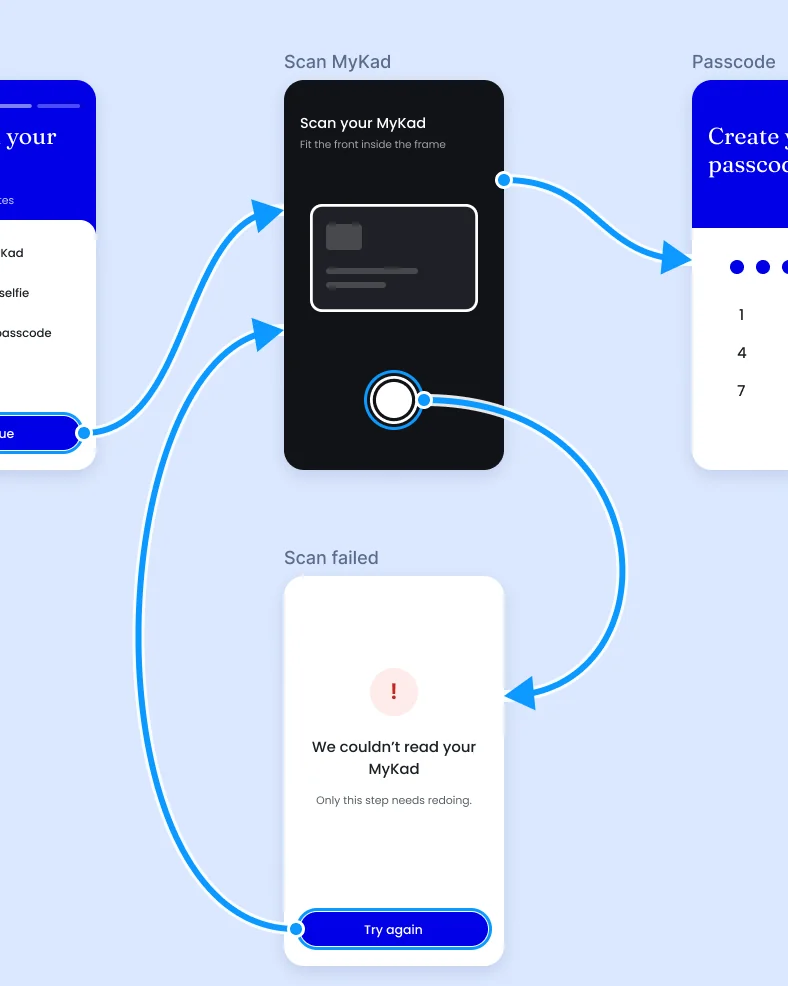
Prototyping
Cheap prototypes mean rougher ideas get tested earlier, like retrying one failed step instead of starting over.
Deciding what’s worth solving at all.
Choosing between options, and knowing when good enough isn’t.
Balancing risk, regulation, the business and the people using it.
Owning what ships, whoever drafted it.
Like my projects? Email me jordychew93@gmail.com or LinkedIn↗